Vendor Use of Daily Plans
It might make sense for vendors to have access to track their own work on daily plans in Progress. To limit vendor access to only the tasks and resources that pertain to them, InEight applications must be configured as indicated below.
User and Project access
The vendor must be assigned to the user that will be accessing Progress, and to the applicable project.
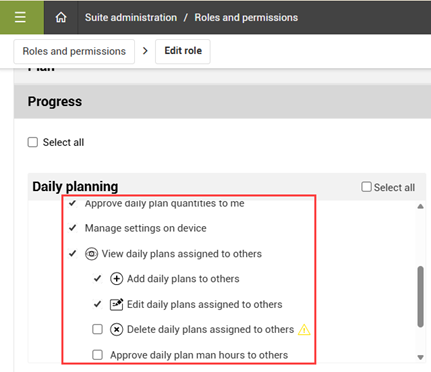
You can control what level of daily plan access the vendor has through the role assigned to them. For example, as the contractor you might have the vendor submit time to one of your employees for approval, so you limit their role to not have permissions to approve daily plans. In other cases, it might make sense for the vendor to approve their own daily plans, so you enable the Approve daily plan permissions for the vendor role.
You can edit permissions for the vendor’s role under Suite administration > Roles and permissions > Edit role. Under the Progress menu, you can enable and disable permissions to add, edit, delete, or approve daily plans, either assigned to the user or others.
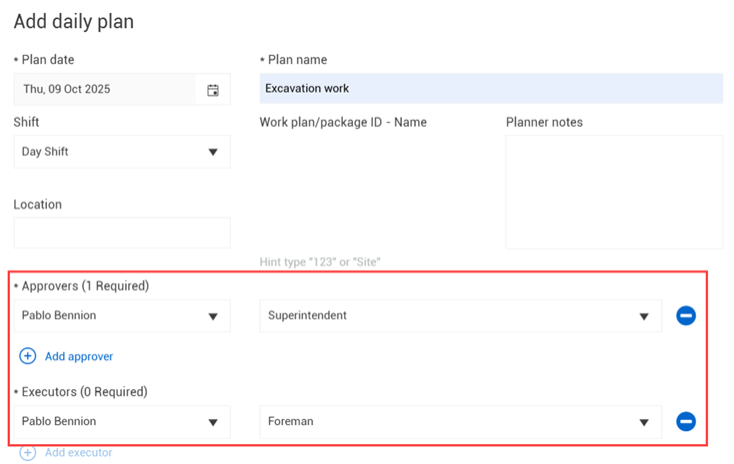
Note that daily plans require both a foremen and superintendent assignment when adding a daily plan. The applicable users with these roles must be assigned to the vendor and the project for the vendor to access them when adding daily plans.
Resources
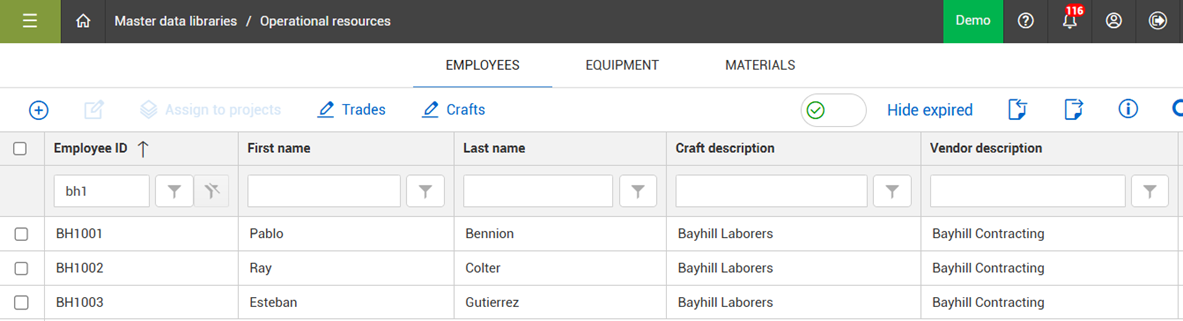
The vendor only has access to the operational resources (employees, equipment) they are assigned to. Under Master data libraries > Operational resources > Employees, crafts must be created as needed for the vendor, and with the vendor assigned.
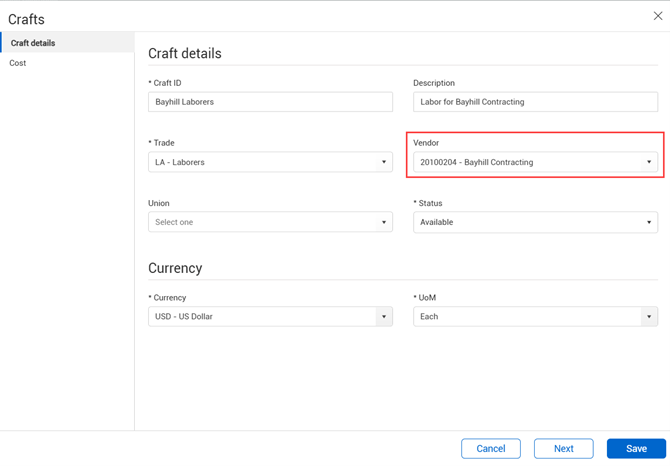
All employees assigned to that craft inherit that vendor assignment.
Similarly, under the Equipment tab, models and types must be created for the vendor and with the applicable vendor assigned.
Task
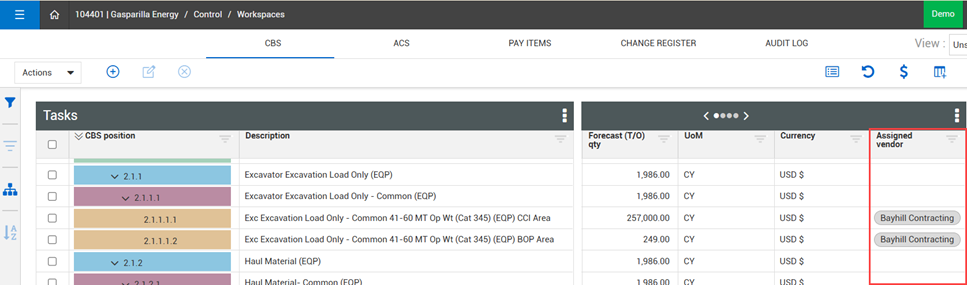
The tasks available to select on a daily plan come from the WBS phase code and related cost item in Control. The vendor can only view the WBS/cost items they are assigned to in the Control application.
On the Control > Workspaces > CBS tab, the Assigned vendor column can be added to a data block and the vendor assigned to the items they need access to on a daily plan.
Vendor use of daily plans
With the above configurations in place, when the vendor logs in and creates a daily plan, they can only view the tasks and resources assigned to them, and are limited in their ability to plan, execute and approve daily plans based on the permissions assigned to their role.
When adding a daily plan, the vendor assigns the applicable superintendent and foreman to the daily plan.
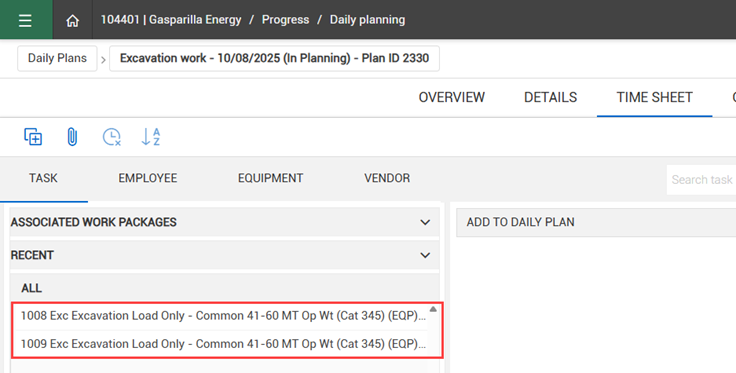
On the Time Sheet tab, when the vendor selects Add tasks and resources, they can only view the tasks that were assigned to them in Control.
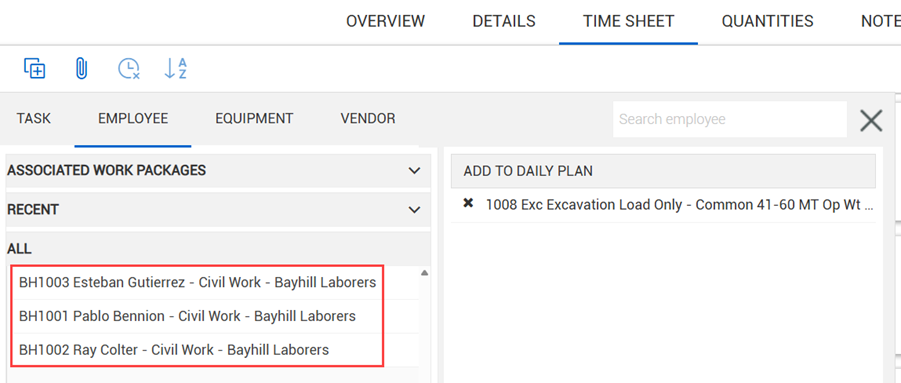
Under the Employee and Equipment tabs, vendors can only view the resources assigned to them in the Operational resources master data library.
The vendor can execute and approve daily plans according to the agreed upon work flow for the project.